User Guide
Last updated:
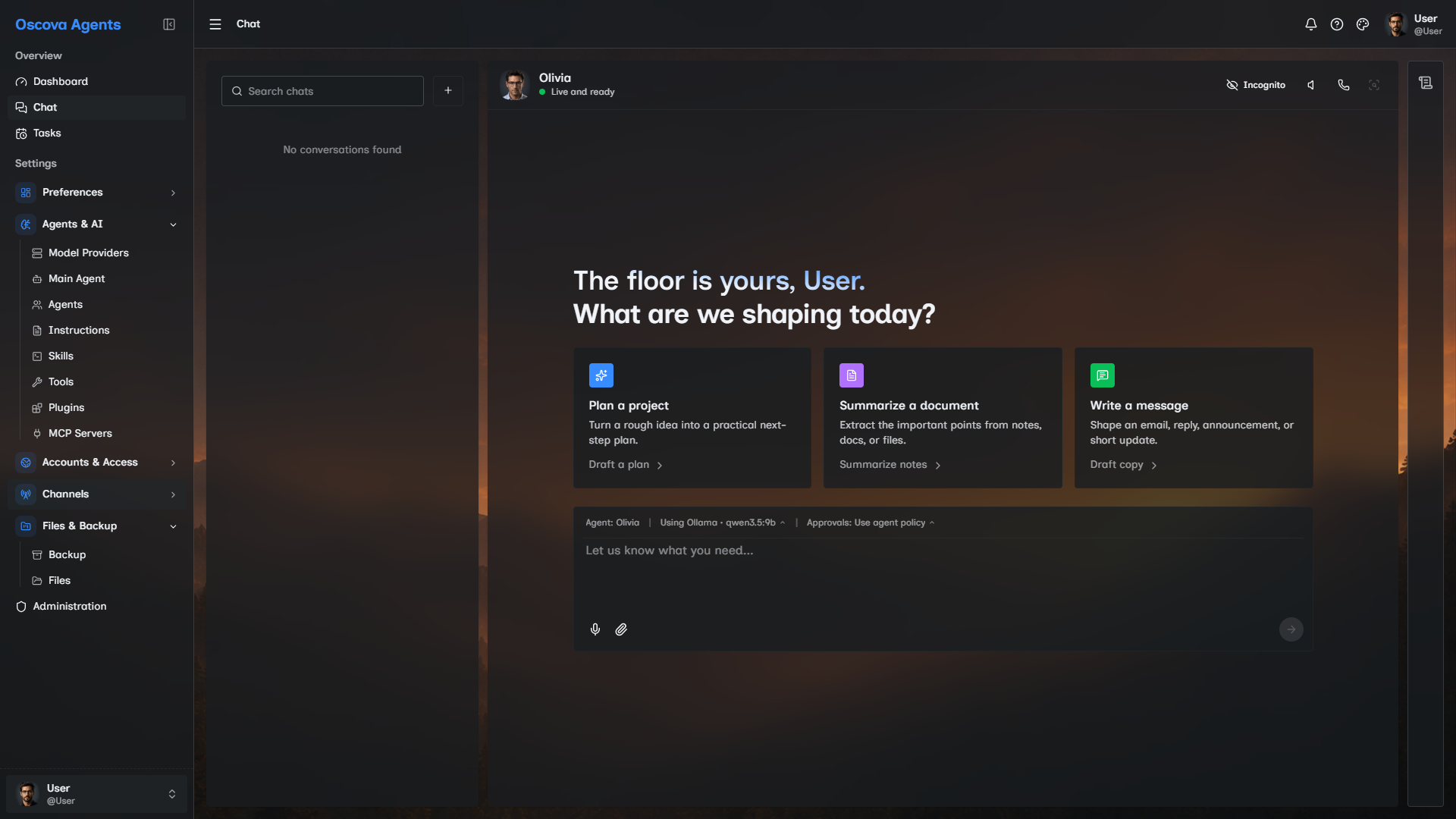
Oscova Agents gives you a managed place to run AI agents: chat with the main assistant, create specialized agents, approve tools, schedule repeatable work, inspect memory, and monitor usage.
Note
Agent OS means the managed environment around an AI model. It gives agents identity, tools, skills, memory, workspace files, account rules, and logs so they can do useful work without every capability being built into the model itself.
Start here
If this is a new installation, create the first administrator first. Oscova shows Admin Setup only while the database has no users. After sign-in, onboarding helps each user choose a language and required profile picture, add a model provider, optionally download speech models, and name the main agent. The picture can be changed or replaced with an upload later from Your Profile.
If Oscova is already set up, start with Main Agent Chat. That is the daily workspace where you send messages, attach files, switch agents, choose a chat provider, approve tool calls, and inspect resulting activity and files.
On an empty chat, Oscova checks whether the selected provider is ready. Follow the start-screen action to add a provider, choose a default, or retry a failed check before sending.
Choose the next article by the problem you are solving:
- Need the app to answer at all? Start with Choose an AI Engine.
- Need safer unattended work? Read Tool Governance before Agent Tasks.
- Need local-only behavior? Read Privacy, then review model providers and tool policies.
- Need evidence after something ran? Use Metrics Dashboard, Session Inspector, and Logs together.
Main areas
- Getting Started covers first launch, model choice, and voice.
- Core Concepts explains agents, model providers, tools, skills, and governance.
- Chat and Agents covers live chat, run evidence, main agent settings, custom agents, shared agents, and memory.
- Automation covers agent tasks, schedules, webhooks, and run history.
- Monitoring and Audit covers metrics, egress review, and session inspection.
- Knowledge and Files covers files, skills, prompt templates, and import/export.
- Connections covers MCP servers, connected accounts, Telegram, and Discord.
- Settings and Administration covers profile, credentials, network, privacy, users, roles, and logs.
How Oscova stores work
Each user has a managed workspace under the app data folder. Files, skills, prompts, memory, chat threads, and profile pictures are scoped to that user. Settings are stored separately so backups can move an environment between installations.
Important
Deleting the app data folder or a user's workspace folder deletes that user's files, memory, prompts, and settings. Export a backup before moving or rebuilding an installation.
Agents do not see every server path automatically. Each run receives a limited file view based on the selected agent, selected task scope, uploaded chat attachments, and any external folders you granted. In sandboxed runs, those folders appear to the agent as paths such as /workspace/<name>, /data, or /mnt/<label>.
Common first checks
- Add and test at least one chat model provider.
- Configure an embedding provider and allow time for scheduled indexing before relying on agent memory.
- Review each agent's tools and file access before scheduling unattended tasks.
- Download speech models or configure hosted speech providers before using voice controls.
- Use the metrics dashboard after a few chats or tasks to check token, cost, tool, and task activity.