Tool Policies
Last updated:
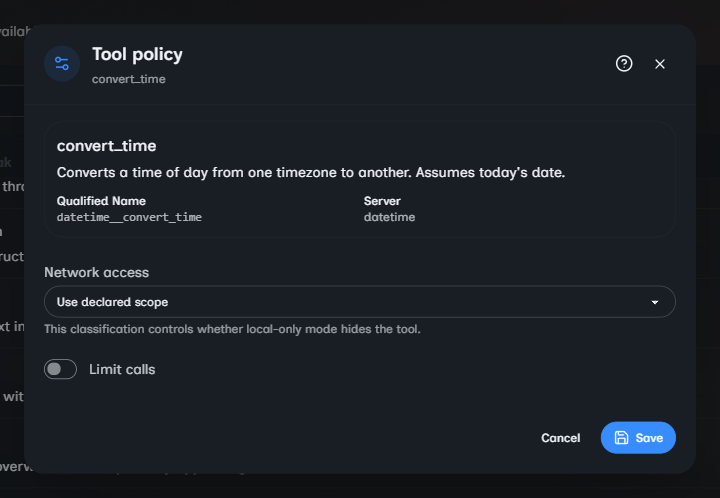
Tool governance has two separate decisions:
- Tool exposure decides whether the model can see a selected tool and whether the tool is wrapped for approval.
- Run approval decides what happens when the model requests a tool that was wrapped for approval.
Keeping these decisions separate matters. ToolApprovalMode.AutoApprove is an agent policy that exposes one tool without an approval wrapper. ToolApprovalRunMode.AutoApproveRequired is a run setting that approves any wrapped tool requested during that run.
Declare tool metadata
Reflected tool methods can declare an approval default and a network classification:
using System.ComponentModel;
using System.Net.Http.Json;
using Oscova.Agents;
using Oscova.Agents.Policies;

public sealed class StatusToolset(HttpClient client) : ICrewToolset
{
    [DisplayName("publish_status")]
    [Description("Publishes a status message to the configured service.")]
    [ToolPolicy(ApprovalMode = ToolApprovalMode.RequireApproval)]
    [ToolNetworkScope(NetworkScope.Egress)]
    public async Task<string> PublishStatusAsync(
        string message,
        CancellationToken cancellationToken = default)
    {
        ArgumentException.ThrowIfNullOrWhiteSpace(message);
        using var response = await client.PostAsJsonAsync(
            "status",
            new { message },
            cancellationToken).ConfigureAwait(false);
        response.EnsureSuccessStatusCode();
        return "Published.";
    }
}
ToolPolicyAttribute and ToolNetworkScopeAttribute apply to methods. If an attribute is absent, the reflected defaults are ToolApprovalMode.Default and NetworkScope.None.
Use conservative metadata for tools with side effects. File writes, shell commands, outbound mutations, and destructive service calls should normally declare RequireApproval. A read-only tool is not automatically safe: classify it as Egress when its purpose is to contact an external service.
Resolve agent policy
An AgentToolPolicy is a sparse override keyed by the tool's qualified wire name:
var policies = new[]
{
    new AgentToolPolicy
    {
        ToolName = "coding__write_file",
        ApprovalMode = ToolApprovalMode.Deny
    }
};

var resolver = new ToolPolicyResolver(policies);
var effectiveMode = resolver.GetEffectiveApprovalMode(
    "coding__write_file",
    ToolApprovalMode.RequireApproval);
Qualified names use __ between normalized segments. For example, an MCP server named github with a tool named list_issues becomes github__list_issues. Use ToolNaming.BuildQualifiedName, ToolNaming.BuildToolsetQualifiedName, or ToolNaming.BuildMcpQualifiedName instead of assembling names yourself.
Policy lookup is case-insensitive. Resolution follows these rules:
- A non-
Defaultagent override wins. - A missing override, or an explicit
Default, falls through to the method's declared default. - When duplicate policy entries name the same tool, the last entry wins.
- Blank tool names are ignored.
Only named, non-Default entries are persisted as overrides. Returning a tool to Default removes the override and restores the declared behavior.
The effective approval modes are:
| Mode | Exposure behavior |
|---|---|
Default |
Uses the method's declared default. |
RequireApproval |
Exposes an approval-wrapped function. |
AutoApprove |
Exposes the raw function without a prompt. |
Deny |
Omits the tool. |
Exposure order
The host applies runtime restrictions, then AgentToolProvider and AgentToolResolver apply policy before tools enter the model context:
- The qualified name must be in the agent's allowed tool names and must resolve to a registered tool.
- A confidential agent omits functions that the host marks unavailable for confidential work. The current host uses this boundary to withhold
memory_savewhile preserving memory reads. - In air-gapped or local-only mode, an effective
NetworkScope.Egresstool is omitted. - The effective approval mode is resolved from the agent override and declared default.
Denyomits the tool,RequireApprovalwraps it, and other modes expose the raw tool.
An unknown allowed name is skipped rather than exposed. Approval-required tools are also omitted when an agent runs as a tool and has no approval channel to answer the request.
Tool search uses the same eligible set and resolver for pinned tools, search candidates, and newly loaded tools. A confidentially restricted, denied, or air-gap-filtered tool therefore cannot reappear through search_tools. Loaded tool names can remain available for the cached provider instance, but that discovery state is not an approval decision.
Choose a run approval mode
ToolApprovalRunMode applies only after a RequireApproval tool produces an approval request:
| Run mode | Approval-request behavior |
|---|---|
UseAgentPolicy |
Routes the request to the active interactive channel. |
AutoApproveRequired |
Approves wrapped calls without prompting. |
AutoRejectRequired |
Rejects wrapped calls without prompting. |
An approval or rejection applies to that pending tool call only. It does not rewrite AgentToolPolicy, create an "always allow" rule, or automatically decide later calls.
Interactive shell and skill-script approvals include the captured execution target and full arguments. Approving a skill script authorizes the complete script invocation. Commands inside the script do not produce separate approvals.
Background tasks cannot wait for an interactive response. If one reaches an approval request with UseAgentPolicy, the request is rejected. Configure background runs with AutoApproveRequired or AutoRejectRequired.
Approval handling fails closed when a request cannot be routed. Missing channel metadata, cancellation, or a channel timeout does not execute the tool. An unsupported approval channel surfaces an error instead of silently approving the call.
Caution
Auto-approval can execute every approval-wrapped tool available to the run. Host shell commands then run with Oscova's operating-system account permissions and can change that machine. Review the agent's allowed tools, credentials, network access, and workspace access before enabling it.
Classify network access
NetworkScope describes why a tool uses the network:
| Scope | Meaning in tool filtering |
|---|---|
None |
The tool does not use the network. |
Incidental |
The tool performs local work that may reach the network as a side effect, such as a shell command. |
Egress |
The tool's purpose is outbound network access. |
Air-gapped filtering omits Egress tools. It does not omit None or Incidental tools solely because of their classification, so those tools still need their normal approval, sandbox, path, and input controls.
CrewToolCollection.TrySetNetworkScope can replace a registered tool's effective classification. GetNetworkScope returns the effective value used for filtering, while GetDeclaredNetworkScope preserves the source-declared value for auditing.
Network scope is governance metadata, not a firewall. A tool must still validate credentials, URLs, identifiers, and request bodies, and the execution environment must enforce any required network isolation.
Missing and malformed policy data
Missing or blank persisted policy data means there are no agent overrides, so declared tool defaults apply. Blank tool names are ignored, and policies for unregistered tool names cannot make a tool available.
Malformed persisted YAML surfaces as a load error rather than becoming an implicit approval. Let that error remain visible so the policy can be corrected.
AgentToolPolicy is a policy model, not an input validator. Custom hosts that construct policies from untrusted data should reject undefined enum values before creating the resolver.